SafePal Wallet Explained
SafePal is a cryptocurrency wallet brand that combines air-gapped hardware devices with a free multi-chain mobile app and browser extension. The idea behind SafePal is simple to state and harder to build: your private keys are generated and stored on a device that never touches the internet, while everything social and convenient about crypto (checking balances, swapping tokens, browsing dApps) happens in software that can never read those keys.
The company launched in 2018 and became known the following year when it shipped the SafePal S1, a small offline signing device that talks to your phone by flashing QR codes back and forth instead of plugging in over USB or pairing over Bluetooth. SafePal was also an early portfolio company of Binance Labs, the venture arm of the exchange, which is why the product has always been tightly integrated with BNB Chain alongside Bitcoin, Ethereum and a long list of other networks.
What makes SafePal worth understanding is that it is not really one product. It is a stack: hardware wallets for cold storage, a software wallet for everyday use, an extension for desktop dApps, a metal backup card for seed phrases, and a native token called SFP that ties in-app benefits together. You can use any one layer on its own, or run all of them as a single account structure.
This page walks through how SafePal handles keys, what each device does, how the app and the hardware divide responsibility, how to set a wallet up safely, and where the honest limitations of the approach sit.
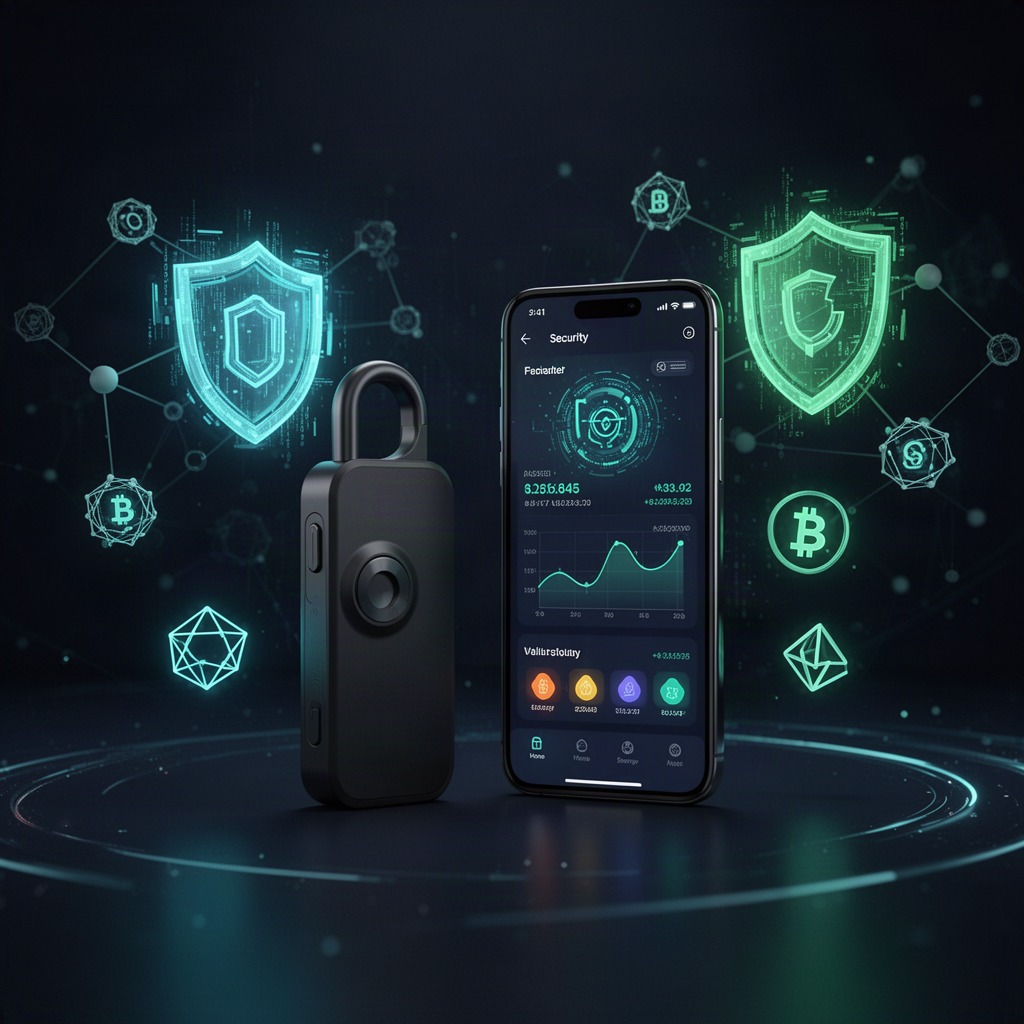
Non-custodial by design
SafePal never holds your funds or your recovery phrase. There is no account to freeze and no password reset, which is both the point and the responsibility.
Offline signing
On the flagship SafePal devices, transactions are signed on hardware that has no wireless radio at all. Data crosses the gap as scannable QR codes.
One app, many chains
The SafePal app manages assets across a large number of blockchains, including swaps, staking entry points and NFT viewing, from a single interface.
How SafePal keeps private keys offline
A crypto wallet does not store coins. It stores the private keys that authorize movements recorded on a public ledger, so the entire security question collapses into one thing: who can read or use those keys. SafePal answers it by keeping the keys inside a dedicated offline device and treating your phone as an untrusted screen and messenger.
When you set up a SafePal hardware wallet, the device generates a recovery phrase using its own onboard random number generator. That phrase, and the keys derived from it, are written into secure storage on the device. They are never transmitted to the SafePal app, never sent to a server, and never displayed anywhere except on the device's own screen during setup and verification.
From then on, the app does all the work that does not require a key. It watches the blockchain, shows your balances, builds transactions, estimates fees and formats requests from dApps. When something needs to be signed, the app hands the unsigned transaction to the hardware wallet, the device shows you the destination and amount on its own display, you approve with a physical button, and only the finished signature comes back. The app broadcasts it.
On the air-gapped SafePal models, that handoff happens visually. The app renders the unsigned transaction as a QR code, the device's camera reads it, and the device then draws a QR code containing the signature for your phone's camera to read. There is no cable, no pairing, no wireless protocol to attack. Anyone who wants your keys has to physically hold the device.
This split matters because it changes what a malware infection can do. A compromised phone can lie to you about prices, swap a recipient address, or nag you to approve something. What it cannot do is extract a key from a device that has no data connection. That is why the on-device confirmation screen is the part of the SafePal workflow you should never rush.
// SafePal uses open wallet standards, so there is no vendor lock-in
recovery      : BIP39 mnemonic, 12 or 24 words
key tree      : BIP32 / BIP44 hierarchical deterministic
btc (segwit)  : m/84'/0'/0'/0/0
btc (legacy)  : m/44'/0'/0'/0/0
ethereum      : m/44'/60'/0'/0/0
signing       : on-device, offline, user-confirmed
transport     : QR frames (air-gapped models) / BLE (X1)
Key takeaway
Because SafePal follows the BIP39 and BIP44 standards, a recovery phrase created on a SafePal device can be restored in other standards-compliant wallets. Your access does not depend on the company continuing to exist, which is exactly the property you want from self-custody.
The SafePal hardware line
SafePal sells a small family of devices rather than a single flagship, and the differences between them come down to how the device communicates and how much you want to spend for a nicer build. All of them keep keys offline; the trade-off is convenience versus strictness.
The S1 is the original and still the most recognizable SafePal product. It is a slim, battery-powered unit with a color screen, a camera for reading QR codes and physical buttons for navigation and confirmation. It has no Bluetooth, no Wi-Fi, no NFC and no data connection over its charging port, which is what earns it the air-gapped label.
The S1 Pro is the refreshed version of that concept, keeping the QR-only workflow while updating the hardware and build quality. The X1 takes a different route: it connects to the SafePal app over Bluetooth Low Energy, which many people find faster and easier day to day, at the cost of adding a short-range radio to the threat model. The Cypher is not electronic at all. It is a metal plate for stamping your recovery words so a fire or a flood cannot erase your backup.
SafePal S1
Fully air-gapped signing device with camera, color display, buttons and a rechargeable battery. Communicates only by QR code.
Best for: long-term cold storage and users who want no radios in the device at all.
SafePal S1 Pro
Updated take on the air-gapped design, with a refined chassis and display while keeping the same offline QR signing flow.
Best for: people who want the S1 model of security with a more polished device.
SafePal X1
Compact hardware wallet that pairs with the SafePal app over Bluetooth, trading the QR workflow for quicker everyday signing.
Best for: active users who sign often and accept a wireless link.
Whichever model you pick, the interaction pattern stays the same. The device is the authority on what gets signed, and its screen is the only display you should trust. SafePal deliberately keeps the on-device interface plain, because a small monochrome-simple confirmation screen is much harder to spoof than a rich app view.
It is also worth noting that a SafePal hardware wallet is not a subscription. Once the device is in your hands, the pairing, the app and the ongoing use of your own addresses cost nothing beyond blockchain network fees and any optional in-app services you choose to use.
The SafePal app and browser extension
The SafePal app is free, non-custodial and usable without ever buying a device. Download it, create a software wallet, write down the recovery phrase it shows you, and you have a hot wallet on your phone. Later, if you buy hardware, the same app becomes the interface for your cold wallet, and both can live side by side in one list.
That dual role is a big part of why people choose SafePal. Most users end up with a practical split: a small software wallet for gas money, minting and experimenting, and a hardware-backed wallet for savings. Because both sit in the same app, moving between them is a normal transfer rather than an exercise in juggling tools.
Day to day, the SafePal app handles the things a portfolio owner actually does. It shows balances and history across chains, provides in-app token swaps and cross-chain routes through integrated providers, offers entry points to staking on supported networks, displays NFTs, and includes a dApp browser plus WalletConnect support so you can use decentralized apps without pasting keys anywhere.
On desktop, the SafePal browser extension covers the same ground for web dApps, and can act as the signing front end for a paired hardware wallet. There is also a watch-only mode, which lets you monitor an address without importing its keys at all, useful for keeping an eye on a cold wallet from a device you do not fully trust.
One thing to be clear about: swaps, bridges and staking inside SafePal are integrations with third-party protocols and providers. The wallet routes and displays them, but the underlying service, its rates and its smart contract risk belong to whoever built it. Reading the confirmation details still matters, even inside a familiar app.
- Multi-chain portfolio view with per-network address management
- In-app swaps and cross-chain transfers via integrated aggregators
- dApp browser and WalletConnect sessions for DeFi and NFT platforms
- Watch-only wallets, address book and custom token imports
Security architecture and what it protects against
SafePal describes its hardware security around a few layers, and it helps to look at each one in terms of the attack it is meant to stop. The first layer is the secure element, a chip designed to hold secrets and perform cryptographic operations without exposing key material to the rest of the system. SafePal states that its devices use an independently certified secure element rather than a general-purpose microcontroller.
The second layer is randomness. A recovery phrase is only as strong as the entropy behind it, so SafePal generates seeds on the device using a hardware random number generator instead of relying on a phone's software randomness or a pre-printed card from a factory.
The third layer is physical resistance. SafePal devices include tamper detection with a self-destruct response, meaning that if the hardware detects an attempt to open it or brute-force its way in, the stored keys are wiped. That is a defense against someone stealing the device and taking it apart, not against someone watching you type your PIN.
The fourth layer is the air gap itself. Remote attacks need a channel, and on the QR-based SafePal models there is no channel to find. Even the charging port carries power only. If you are curious about the general principle, the concept is well documented as an air gap in network security, and crypto hardware wallets are one of its most consumer-facing applications.
What none of these layers can fix is a bad approval. The dominant way people lose crypto today is not chip extraction but social engineering: a fake support agent, a spoofed airdrop site, a token approval that hands an unknown contract permission to drain a balance. SafePal reduces key theft to near zero and leaves human judgment as the weak point, which is why the device shows you the full destination and amount before you press confirm.
The other unfixable risk is your backup. If your recovery phrase is photographed, typed into a website, stored in cloud notes or shown to a stranger, the strongest hardware in the world is irrelevant. SafePal support will never ask for it, and no legitimate wallet ever does.
Security rule of thumb
Treat the SafePal device screen as the truth and the phone screen as a suggestion. If the two disagree about an address or an amount, cancel. That single habit defends against most realistic attacks on a hardware wallet setup.
Blockchains and assets SafePal supports
Broad chain coverage is one of the practical reasons people pick SafePal over a narrower wallet. The company reports support for well over a hundred blockchains and a very large catalog of tokens, including major layer ones, the main EVM layer twos, and long tails of tokens that can be added manually by contract address.
In practice, coverage means two different things. A chain is fully supported when SafePal can derive its addresses, display its balances and sign its native transaction format on the device. A token is supported when it lives on a chain the wallet already handles, which is why new ERC-20 or BEP-20 assets usually work immediately even if they are not in the default list.
Support does evolve. New networks get added, and occasionally deprecated ones get dropped, so before moving a large balance it is worth confirming inside the current version of the app that the exact network you plan to use is listed.
Choosing between SafePal setups
Most decisions about SafePal are not about which brand to buy but about which configuration fits how you actually use crypto. The table below lines up the realistic options, including keeping funds on an exchange, so the trade-offs are visible in one place.
| Setup | Who holds keys | Connection | Best suited to | Main trade-off |
|---|---|---|---|---|
| SafePal app only | You, on the phone | Online (hot) | Small balances, daily DeFi, testing | Keys sit on an internet-connected device |
| SafePal S1 or S1 Pro | You, on offline hardware | QR code, air-gapped | Long-term holdings, larger balances | Scanning steps make signing slower |
| SafePal X1 | You, on offline hardware | Bluetooth Low Energy | Frequent signers who want speed | Adds a wireless link to the setup |
| Hardware + app split | You, across two wallets | Both | Most people, most of the time | Two backups to manage instead of one |
| Exchange account | The exchange | Custodial platform | Active trading, fiat on and off ramps | Counterparty, freeze and withdrawal risk |
The pattern most experienced users land on is the fourth row. Keep trading balances where you trade, keep spending money in the SafePal software wallet, and keep the bulk on a SafePal hardware wallet whose recovery phrase never existed in digital form. Cold storage is not about paranoia, it is about limiting how much a single mistake can cost.
SFP, the SafePal token
SafePal has its own token, SFP, issued on BNB Chain. It is used for benefits inside the SafePal ecosystem, such as discounts and promotional programs tied to in-app services and product purchases, and it trades on public markets like any other listed token.
The important clarification is that SFP is entirely optional. You do not need it to create a wallet, to pair a device, to receive assets or to sign transactions. Nothing about the custody model depends on holding it, and a SafePal wallet with zero SFP works exactly like one that holds a large amount.
It is also worth separating the two things people sometimes conflate. The security of your SafePal wallet is a function of hardware, standards and your own backup practices. The price of SFP is a market variable with all the volatility that implies. Treat the token as a speculative asset and the wallet as infrastructure, and the picture stays clear.
A wallet's job is to make sure only you can sign. Every extra feature, including a token, should be judged on whether it interferes with that job.
How to get started with SafePal
Setting up SafePal takes a few minutes, but the order of the steps matters. Do the whole sequence somewhere private, with no camera pointed at your desk, and do not skip the verification screen at the end.
-
1. Install the app from an official source
Get the SafePal app from your platform's official store, or the extension from your browser's official add-on catalog. Fake wallet apps are a real and persistent problem, so check the publisher name and review count before installing anything.
-
2. Inspect the device if you bought hardware
Check the packaging and security seals before powering on. A genuine SafePal device arrives uninitialized and will generate a fresh recovery phrase in front of you. If a device presents you with a pre-printed phrase, stop and treat it as compromised.
-
3. Create the wallet and set a PIN
Let SafePal generate the recovery phrase on the device, then set a device PIN and, if offered, a separate app password. The PIN protects against someone who physically picks up the device; the recovery phrase protects against losing it.
-
4. Back up the recovery phrase offline
Write the words on paper or stamp them into a metal plate such as SafePal Cypher, in order, and store the result somewhere only you can reach. Never photograph it, never type it into a computer, and never store it in cloud notes or a password manager you do not fully control.
-
5. Pair, test small, then move funds
Pair the device with the SafePal app, add the chains you need, and send a small test amount first. Confirm it arrives, confirm you can send it back out, and only then transfer a meaningful balance.
Once that is done, keep the routine boring. Update firmware and the app when SafePal publishes updates, review the address on the device screen every single time, and revisit your backup once a year to make sure it is still legible and still where you think it is.
If you are new to self-custody entirely, it also helps to read a neutral primer on how cryptocurrency wallets work before you commit funds, so the vocabulary in the SafePal interface is already familiar when you get there.
Buying a device and avoiding tampered units
Hardware wallets have a distinctive risk that software wallets do not: the supply chain. A device that was opened, modified or pre-initialized before it reached you can hand your funds to someone else the moment you use it, and no amount of careful signing later will help. This applies to every brand, SafePal included.
The practical defense is boring and effective. Buy from the official SafePal store or an authorized reseller, avoid secondhand marketplaces and unverified listings no matter how good the discount looks, and inspect the package on arrival for signs of opening or resealing.
Then verify at first boot. A new SafePal device should ask you to create a wallet, not present one. It should generate the recovery phrase itself and ask you to confirm the words back. Any deviation from that flow, especially a phrase supplied on a card or slip inside the box, means the unit should never hold value.
Finally, be skeptical of anyone contacting you about your wallet. Fake support accounts on social platforms and messaging apps are among the most common ways people are separated from their crypto, and SafePal staff will never ask for your recovery phrase, your PIN, or remote access to your screen.
Backup, recovery and losing the device
The single most common way people lose self-custodied crypto is not theft. It is a lost or destroyed backup. Understanding recovery is therefore just as important as understanding SafePal's chip and air gap.
Your recovery phrase is the wallet. The SafePal device is a convenient, hardened place to use it, but the phrase alone can regenerate every private key and every address. That means two things at once: anyone who reads it owns your funds, and if you lose it while also losing the device, nobody, including SafePal, can restore your access.
If your device is lost, stolen or broken, the recovery path is straightforward. Get a new SafePal device, or use any standards-compliant wallet, choose the restore option, and enter your phrase. The keys are derived deterministically, so your balances reappear at the same addresses. A thief who has the device without the PIN faces the tamper protections and the wipe response, which is why setting a PIN is not optional in practice.
For anything more than a small balance, plan the backup like a document you might need in a decade. Metal storage such as the SafePal Cypher plate resists water and fire in a way paper does not. Keeping two copies in two separate physical locations protects against a single accident. Deciding now how a trusted person would find and use it protects against the scenario nobody likes to think about.
Who SafePal fits and who should think twice
SafePal fits people who hold assets across several chains and want one interface for all of them. If your holdings span Bitcoin, an EVM chain or two, a Solana position and a handful of tokens, a multi-chain wallet saves real friction compared to running four different tools.
It also fits people who want cold storage without a big learning curve. The QR workflow is unusual at first, but it is visual and self-explanatory, and the entry price for air-gapped hardware is lower than many alternatives, which matters if you are protecting a mid-sized portfolio rather than a fortune.
SafePal is a weaker fit in two situations. If you never leave a single exchange and trade constantly, a hardware wallet adds steps without changing much for you until you actually want to withdraw. And if you are unwilling to manage a physical backup, self-custody in any form, SafePal included, will eventually cost you more than custodial convenience would have.
Limitations worth knowing before you commit
The QR workflow is slower than plugging in a cable. For a monthly transfer it is nothing; for someone signing a dozen DeFi interactions in an evening it becomes noticeable, and that is precisely the gap the Bluetooth-based SafePal X1 exists to close.
Small screens limit what a device can show you. Complex smart contract calls do not summarize neatly on a compact display, so while SafePal can confirm you are signing a transaction to a given contract, deeply understanding what that contract will do remains your homework.
Firmware and app code are maintained by the company, and users are dependent on those updates for new chain support and fixes. This is normal for the category, and it is partly offset by the standards compliance discussed earlier: because SafePal uses standard mnemonics and derivation paths, you are never locked to one vendor's software to reach your funds.
Finally, a hardware wallet does not protect against bad decisions in the market or approvals granted to malicious contracts. SafePal secures the signing key. It does not vet the counterparty, audit the protocol, or judge whether the deal is real, and any wallet that claims otherwise is overselling.
Frequently asked questions about SafePal
Is SafePal a hot wallet or a cold wallet?
Both, depending on how you use it. The SafePal app on its own is a hot wallet, since keys live on an internet-connected phone. Paired with a SafePal hardware device, keys stay offline and the setup is cold storage. Many users run one of each in the same app.
Can SafePal access or freeze my funds?
No. SafePal is non-custodial, so the company does not hold your keys or your recovery phrase and cannot move, freeze or recover your assets. That also means there is no support ticket that can undo a mistaken transfer.
What happens if I lose my SafePal device?
Your funds are tied to the recovery phrase, not the hardware. Restore that phrase on a new SafePal device or any BIP39-compatible wallet and your balances reappear. Without the phrase, a lost device means lost access, which is why the backup step deserves real attention.
Do I need to buy hardware to use SafePal?
No. The SafePal app and browser extension are free and fully usable as software wallets. Hardware is an upgrade you add when the balance you are protecting justifies keeping the keys offline.
Is the SFP token required?
No. SFP is an optional ecosystem token used for benefits and promotions around SafePal services. Wallet creation, pairing, receiving and signing all work without ever touching it.
What does SafePal cost to use?
The software is free and there is no subscription. You pay once for a hardware device if you want one, and you always pay the blockchain's own network fees. Optional in-app services such as swaps may include provider or service fees, which are shown before you confirm.
Can I move a SafePal wallet to a different brand later?
Yes. Because SafePal generates standard BIP39 phrases and uses standard derivation paths, the same phrase can be restored in other compliant wallets. Do it carefully and offline, since exposing the phrase during a migration is the riskiest moment in a wallet's life.
How do I know a SafePal message or support agent is genuine?
Assume unsolicited contact is fraudulent until proven otherwise, and start from official SafePal channels yourself rather than replying to whoever reached out. No genuine representative will ever request your recovery phrase, your PIN, remote control of your device, or a payment to unlock your wallet.